15 Universes Tab
The Universes list contains the DMX universes configured for the current project. Capture automatically connects external universes discovered on the network to these universes. For a list of DMX and console connectivity protocols supported, see the Protocols appendix. See also Property Editing for additional editing options.
The External universe property can be used to override the assignment of external universes to universes in the project. It can also be used to see which external universes Capture is seeing.
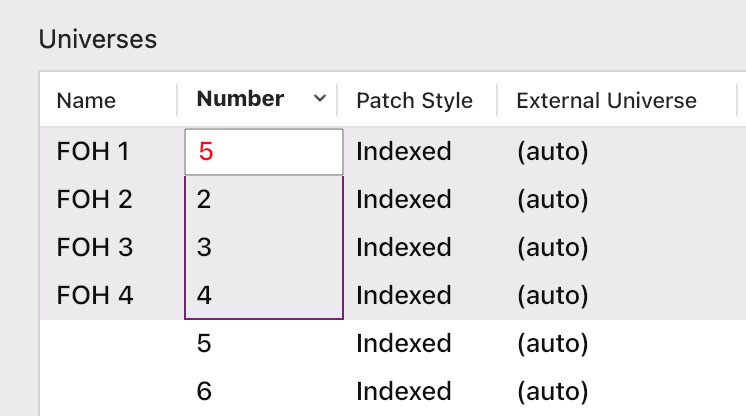
The Number property lets you choose the unique numerical location of a universe, independent of its name. Multiple universes renumbering is also possible, as long as the numbers are unique. In the screenshot below, the number 5 already exists and can not be applied to the selection.
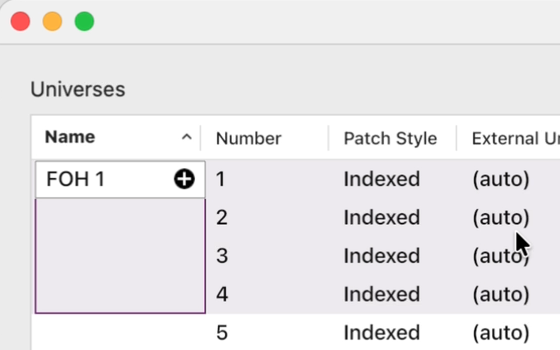
The Name property is optional. You can leave it blank or add a description. In the Name column, the + sign will appear if a number is included in the description. In this case, you can choose whether that number will increment or not.
In a theatrical environment it may be more convenient to work with a contiguous range of channel numbers (for instance 1 – 2048). This can be achieved by setting the Patch style property to Contiguous.
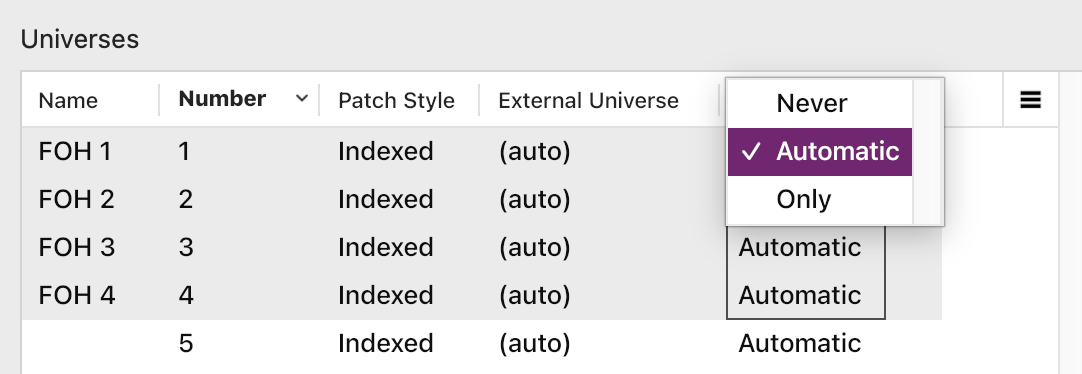
The Blind levels property controls how sACN and CITP “blind” DMX data is treated. Some consoles use this mechanism to transmit programmer DMX when programming in blind mode or as a means of previewing the next cue.
Multi selecting rows in the Universes tab allows you to change the Patch style, External Universe and Blind levels properties for multiple universes at once.
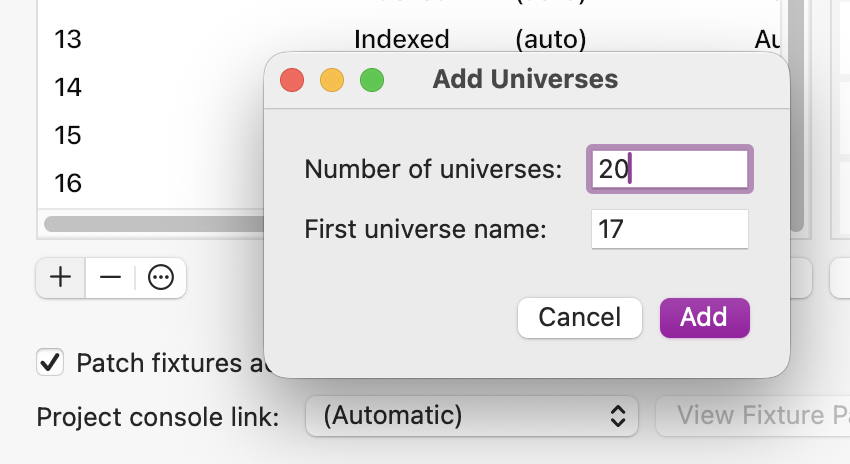
Use the Add button at the bottom left of the list to add one or multiple universes. Again, the numbers must be unique.
15.1 Connectivity status
The connectivity status dialog reports connectivity activity and signs of connectivity issues.
A green indicator next to a connectivity method indicates activity, usually Capture receiving some form of communication related to the connectivity method. It is not necessarily a guarantee that everything is fine, but it does indicate that on some level things are working.
If Capture detects any issues that could result in a connectivity method not working, a warning with an additional description is shown next to the protocol(s) affected. Capture is not able to detect all types of issues that could lead to malfunctioning communication, but it does for instance check whether the Windows firewall is enabled and/or whether basic network communication is missing.
15.2 Patch fixtures across universe boundaries
When patching, the option to cross universe boundaries exists. This means that some of a fixture’s channels can be patched at the end of one universe and the rest at the beginning of the next. In the example below, a fixture that requires 30 channels has been patched at 1.501 and the patch continued to the second universe.
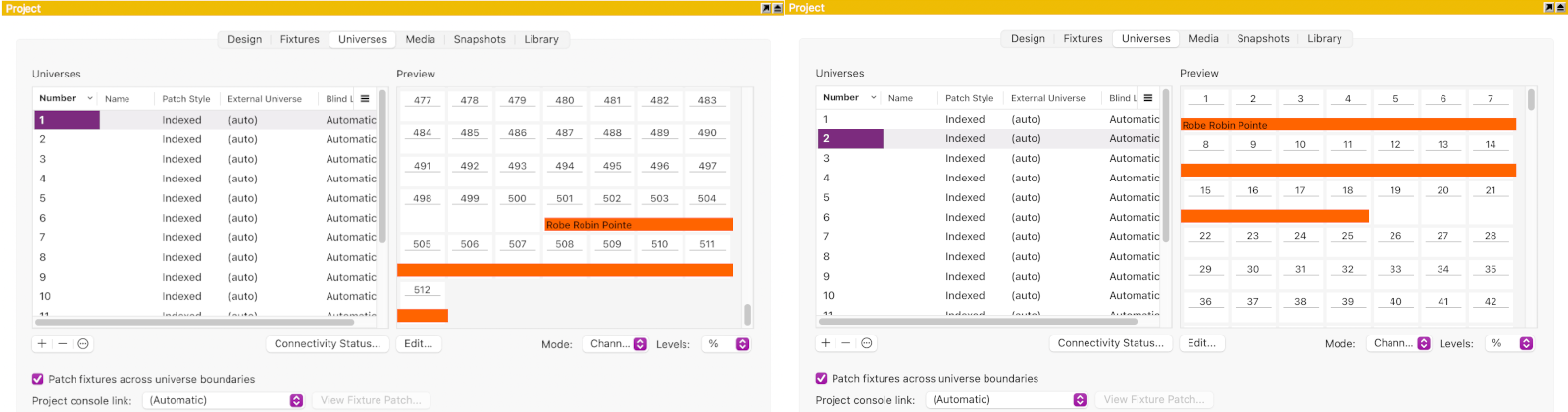
The option is enabled by default. If you prefer to change the default behaviour and do not allow cross universe patching, you can still override it by patching a fixture manually in the Selected items category of the Design tab.
15.3 Console links
Some more advanced protocols such as CITP and OSC support transmitting and/or exchanging more than just DMX data. While Capture can receive DMX from many protocols and consoles simultaneously and assign theses various universes in the project, in the case of more advanced protocols it is only possible to link to one console at a time. Which console to link to is chosen using Project console link.
Some console link protocols support transmitting fixture patch data. When information about fixtures patched in the console but not in the current Capture project is available, the View fixture patch.. button reveals a list of these fixtures.
15.3.1 DMX talkback
This feature has historically often been called “autofocus”. The idea of autofocus is to control then pan and tilt values of fixtures by clicking to focus them in a 3D environment.
Technically this feature is accomplished by Capture transmitting individual DMX channel levels to the console. It is up to the console to decide whether to incorporate these values into the current output or not.
This functionality is available with:
- Consoles that support CITP/SDMX.
- EOS, using OSC.
- High End Hog 4, using the Hog connectivity driver.
Some consoles require that each fixture’s Channel property in Capture matches the channel number in the console in order for this to work. Refer to the console’s documentation.
15.3.2 Fixture selection
By synchronising fixture selection between Capture it becomes easier to perform operations on both systems. One such example is selecting a fixture group on the console and then focusing the fixtures (using DMX talkback) in Capture.
This functionality is available with:
- Consoles that support CITP/FSEL or CITP/CAEX.
- EOS, using OSC.
- High End Hog 4, using the Hog connectivity driver, but only receiving from the console.
Many (but not all) consoles require that each fixture’s Channel property in Capture matches the channel number in the console in order for this to work. Refer to the console’s documentation.
15.3.3 Fixture patch
Fixture patch information can be sent both from a console to Capture and from Capture to a console.
This functionality is only available with consoles that support CITP/FPTC or CITP/CAEX. Whether patch exchange only happens on request, automatically on startup or continuously throughout the session depends on the console’s implementation.
Many (but not all) consoles require that each fixture’s Channel property in Capture matches the channel number in the console in order for this to work. Refer to the console’s documentation.